User guide

How DustedClays works

Every screen on the watch and the iPhone, and what each field means.

How scoring works

Every shot the watch feels is scored as a hit. The motion sensors detect shotgun recoil, so you never have to tell the app you fired. You only step in when you miss, and that takes one tap.

Second barrel: in disciplines that allow 2 shots per single target, a quick follow-up shot inside the double-barrel window counts as your second barrel on the same clay. A clay taken with the second barrel still scores as a hit. It just shows in yellow.

Pairs: a pair is two clays released together, one shot per bird. Each bird is scored on its own, with a separate Miss button for each.

Hit, first barrel Hit, second barrel Miss

On the Apple Watch

The watch runs the whole round, from picking a discipline to saving the scorecard.
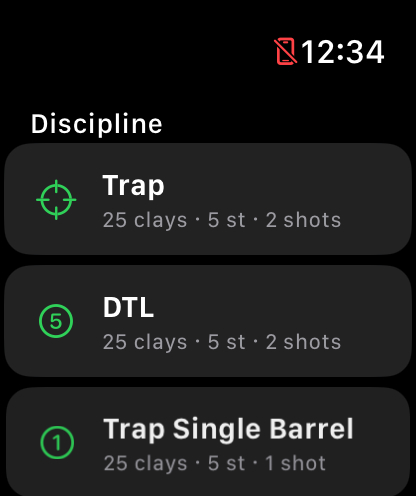
Watch screen listing Trap, DTL and Trap Single Barrel disciplines

Discipline list

The first screen every time the app opens. Tap a discipline to head to its start screen.

Discipline rows
Each row shows the discipline's icon, name, and its shape in shorthand: 25 clays · 5 st · 2 shots means 25 targets per round across 5 stations, with up to 2 shots allowed per single. Disciplines with pairs show the mix instead, so 3S + 1P is three singles and one pair per station.
Where they come from
Disciplines are created and edited in the iPhone app and sync to the watch automatically, which is why the list is read-only here.
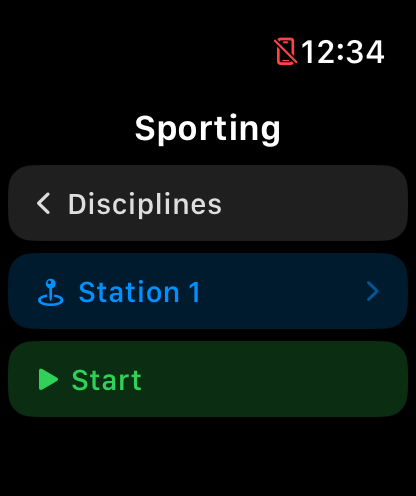
Watch start screen for Sporting with Disciplines, Station 1 and Start buttons

Start screen

One last stop before shooting. Pressing Start hands scoring over to the watch. After this you only tap to flag misses.

‹ Disciplines
Back to the discipline list.
Station 1
Where you'll start the round. Tap it to pick a different peg, and the watch remembers your choice per discipline.
Start
Begins the round. Shot detection turns on and the scoring screen appears.
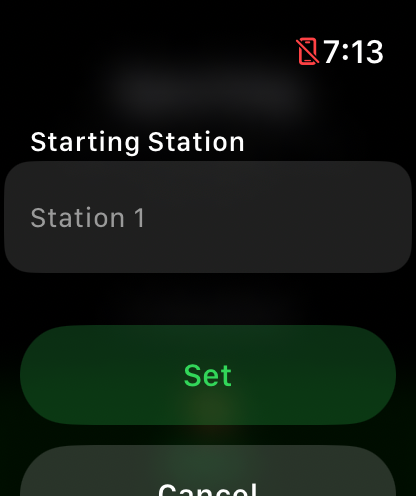
Watch starting station picker with a Station 1 wheel and Set and Cancel buttons

Starting station

If your squad starts you on a different peg, tell the app where you begin so the station numbers on your scorecard match the ground.

Station wheel
Pick any station the discipline defines (Station 1 up to the discipline's station count).
Set / Cancel
Set saves the choice, and the app remembers it per discipline for next time. Cancel leaves it unchanged.
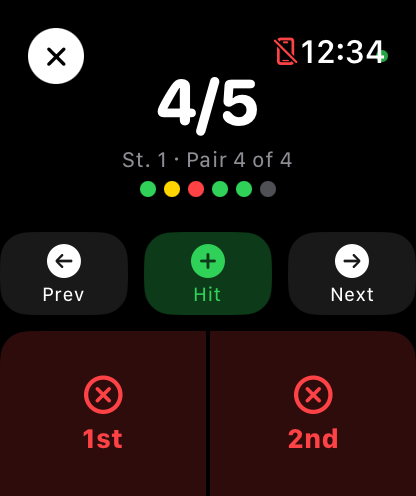
Watch mid-round scoring screen showing 4 of 5 hits, station and pair progress, Prev, Hit and Next buttons and split 1st and 2nd miss buttons

During the round

This screen runs the whole round hands-free. Every detected shot scores the next clay as a hit, and you only touch the screen to flag a miss. When you lower your wrist the screen switches to a big high-contrast score, and detection keeps running.

Score counter
Hits over shots taken so far. 4/5 means you've hit 4 of the 5 clays you've shot at.
Progress line
St. 1 · Tgt 3 of 5 shows the station you're on and which target of that station is next. Pairs read Pair 4 of 4.
Dot row
Your last few clays: green = hit, yellow = second-barrel hit, red = miss. The gray dot is the clay that's up next.
Miss
Flags your most recent shot as a miss. A pair gets two buttons, 1st and 2nd, one per bird. Tap again to flip a clay back to a hit.
Hit
Scores a hit by hand, for the rare shot the sensors don't catch. The round carries on exactly as if the watch had felt it.
Prev / Next
Prev undoes the last clay and steps back, which is handy when a slammed car door scores a phantom shot. Next moves on to the next target, and any clay you pass without shooting is recorded as a miss. On the final target it reads End and finishes the round.
✕ (top left)
Abandons the round after asking you to confirm. The score is discarded and nothing is saved.
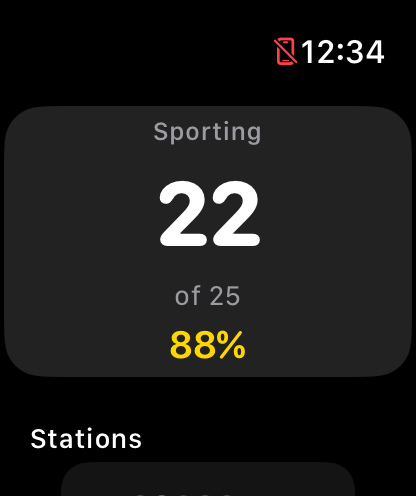
Watch round summary showing 22 of 25 and 88 percent for a Sporting round

Round summary

Shown the moment the last clay is scored. By the time you see it, your score is already saved.

Headline score
Hits, total clays, and your percentage. Green means 90% or better, yellow is 70 to 89%, and red is anything below that.
Stations
One row per station with a dot for every clay (same colors as during the round) and that station's hits/clays.
Saving
Automatic. The scorecard saves itself as soon as this screen appears and syncs to your iPhone. If the phone isn't reachable, the watch queues it and delivers it later.
Done
Closes the summary and returns to the discipline list, ready for the next round.
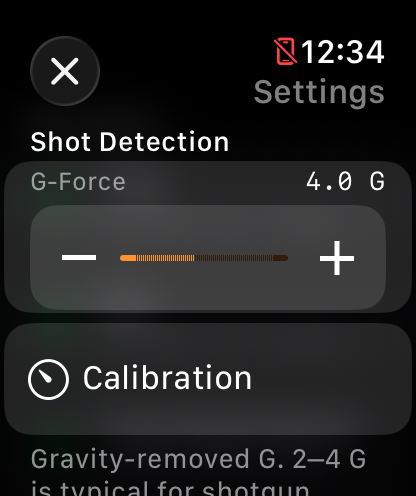
Watch settings showing a G-Force slider set to 2.5 G and a Calibration link

Settings

Shot detection is tuned here on the watch, since the wrist wearing the sensor is the best judge. Open it from the bottom of the discipline list.

G-Force
The recoil threshold: how hard a jolt must be to count as a shot, from 1.0 to 8.0 G. The default is 4.0 G, and typical shotgun recoil lands between 2 and 4 G. Raise it if knocks are scoring phantom shots. Lower it if real shots go undetected.
Calibration
Opens the live calibration screen below, which is the easy way to set the threshold for your gun and load.
Window
The double-barrel window, from 0.2 to 2.0 seconds (default 1.5 s). Two shots closer together than this count as one clay: first and second barrel. It only matters where the discipline allows 2 shots per single.
Screen Brightness
Advice rather than a control. watchOS dims the screen on its own once you mount the gun and apps can't override that, so for a bright screen between shots set Wake Duration to 70 seconds in the watch's own Settings, under Display & Brightness.
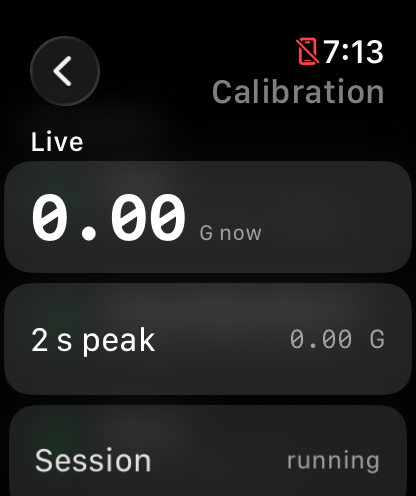
Watch calibration screen showing a live G-force readout of 0.00, a 2 second peak and a running session

Calibration

Measures your actual recoil at the range so the threshold fits your gun, load and mount. At rest it reads zero, but the numbers move the moment you shoot. Every detection taps your wrist so you know it registered.

G now
The live, gravity-removed G-force at your wrist, updating in real time.
2 s peak
The strongest jolt in the last two seconds. After a shot, this is your recoil reading.
Threshold
The same G-Force setting as on the Settings screen, adjustable here while you watch live readings.
Set from last peak
Fire a few shots, then tap this to set the threshold to about 75% of your measured peak. That's firm enough to ignore knocks and loose enough to never miss a shot.
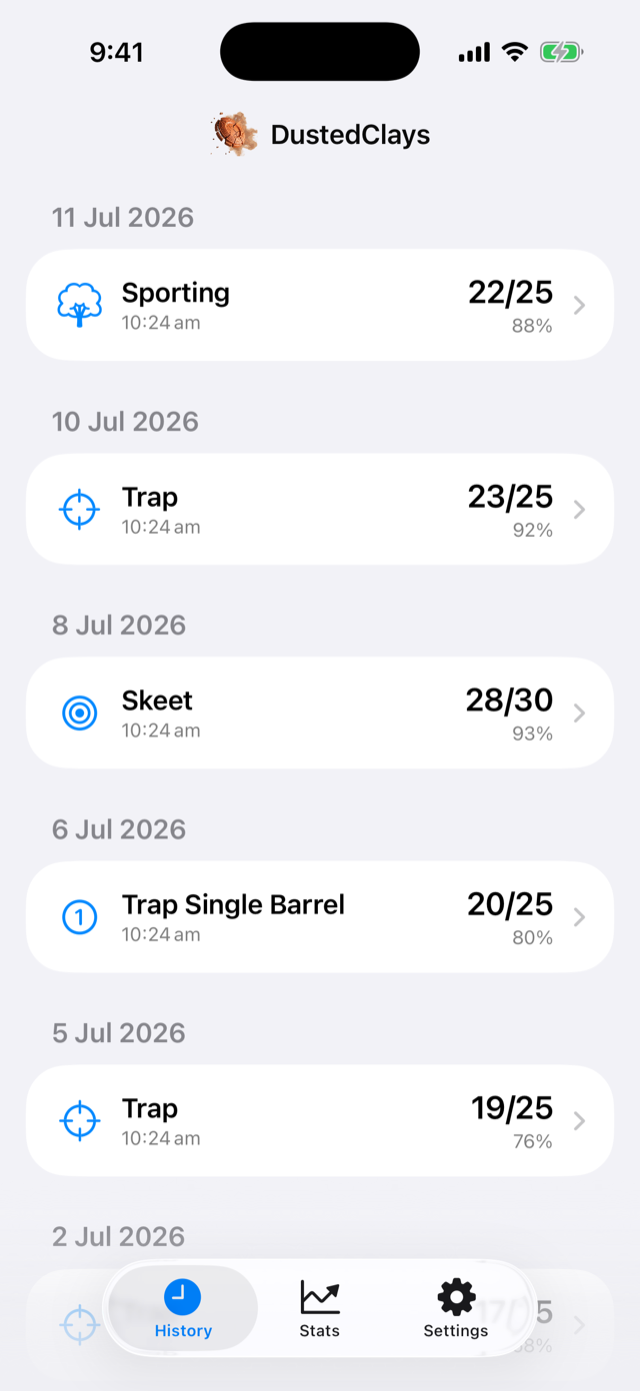
On the iPhone

The phone is your record book: every round synced from the watch, plus the discipline editor.

iPhone history screen listing scored rounds grouped by date

History

Every round you've saved, newest first, grouped by day. Rounds arrive here automatically after you tap Save & Done on the watch.

Round rows
The discipline's icon and name, the time you shot it, the score as 22/25, and your hit percentage.
Managing rounds
Tap a row for the full scorecard, or swipe it left to delete it.
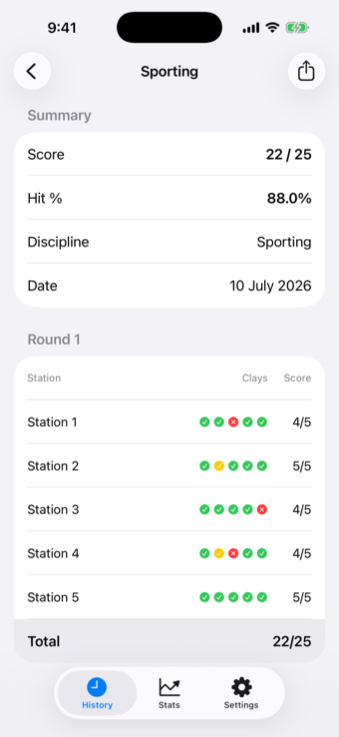
iPhone scorecard showing hit, miss and second-barrel markers for each station

Scorecard

The full story of one round, station by station, clay by clay.

Summary
Score (hits / shots), Hit % to one decimal, the discipline, and the date.
Station rows
One row per station under Station / Clays / Score headers, with an icon per clay: green check = hit, yellow check = hit that took the second barrel, red ✕ = miss. The station's own hits/clays sits at the right, and a Total row closes the card.
Share
The share button in the top corner exports the scorecard as plain text, with filled dots for hits and hollow ones for misses. Handy for the group chat.
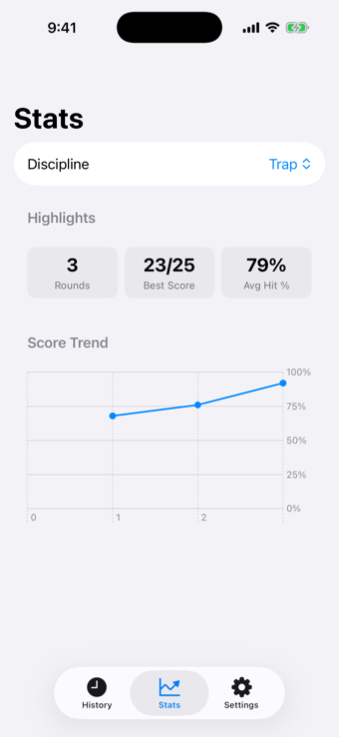
iPhone stats screen with rounds, best score and average hit rate plus a score trend chart

Stats

Your season at a glance, one discipline at a time.

Discipline
Every number on this screen is filtered to the discipline picked here.
Rounds
How many rounds of that discipline you've recorded.
Best Score
Your highest-percentage round, shown as 23/25.
Avg Hit %
Your average hit rate across all recorded rounds of the discipline.
Score Trend
Hit percentage per round in shooting order, on a fixed 0–100% scale. It appears once you have at least two rounds recorded.
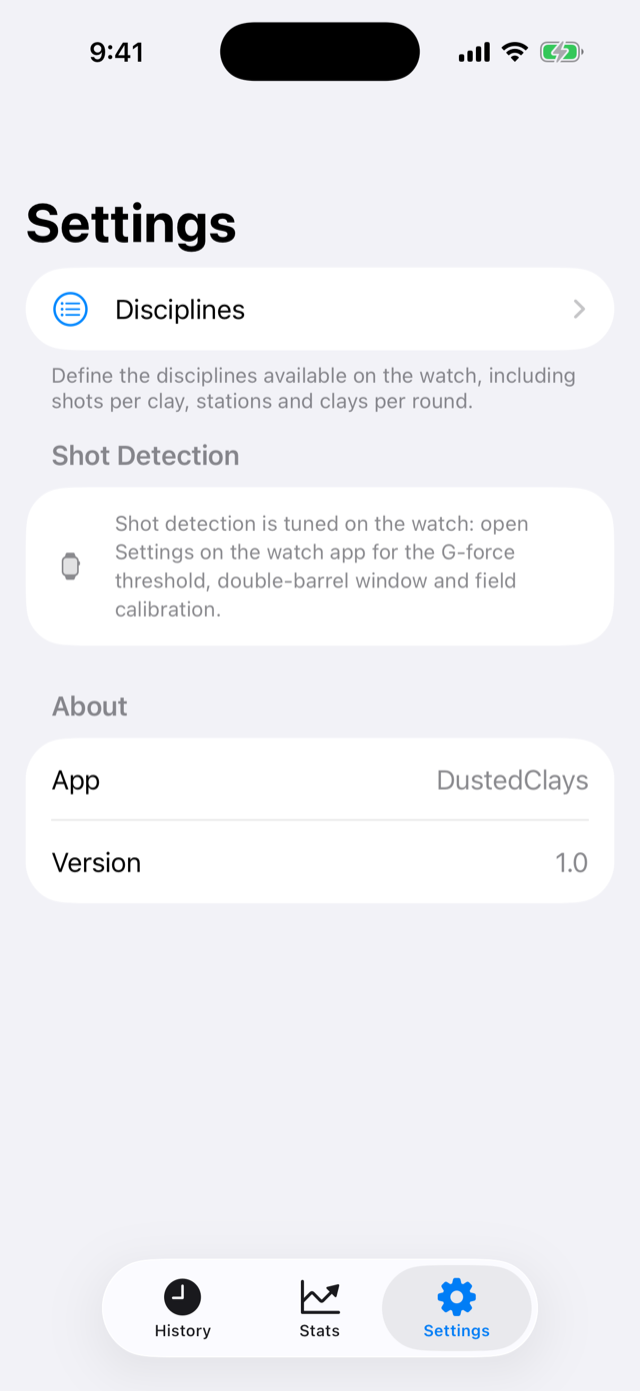
iPhone settings screen with a Disciplines entry and a note that shot detection is tuned on the watch

Settings

Mostly a doorway. The disciplines you shoot are managed from here.

Disciplines
Opens the discipline list below. Everything about what you shoot and how it's scored lives in there.
Shot Detection
This one's a reminder rather than a control. Detection is tuned on the watch, so the G-force threshold, double-barrel window and calibration all live in the watch app's Settings screen.
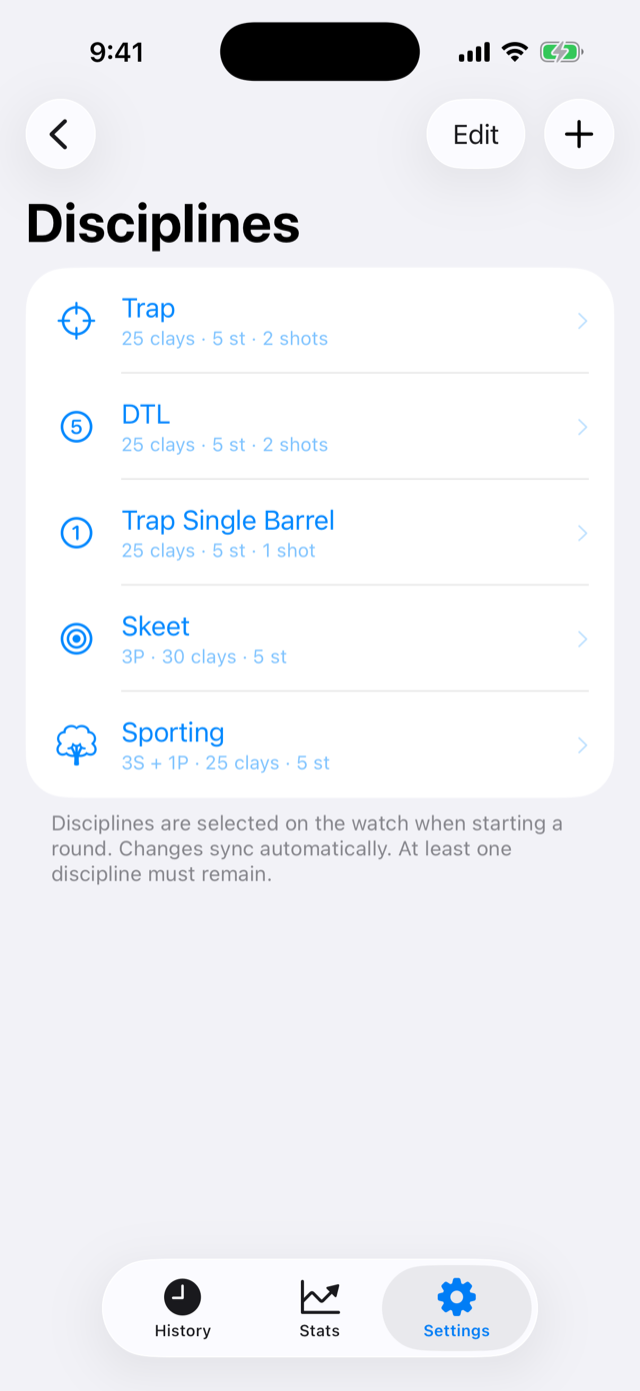
iPhone discipline list showing Trap, Trap Single Barrel, Skeet and Sporting

Disciplines

The disciplines available on the watch. Five come built in: Trap and DTL (both 2 shots per single), Trap Single Barrel (1 shot), Skeet (three pairs per station), and Sporting (three singles and a pair per station). You can reshape or replace all of them.

Discipline rows
Icon, name, and the same shorthand the watch shows: 25 clays · 5 st · 2 shots, or 3S + 1P · 25 clays · 5 st when the program includes pairs. The row order here is the order on the watch.
Edit / +
Tap a row to edit it, to create a new discipline, Edit to reorder or delete. Changes sync to the watch automatically, and at least one discipline must always remain. Deleting a discipline never touches rounds already scored with it.
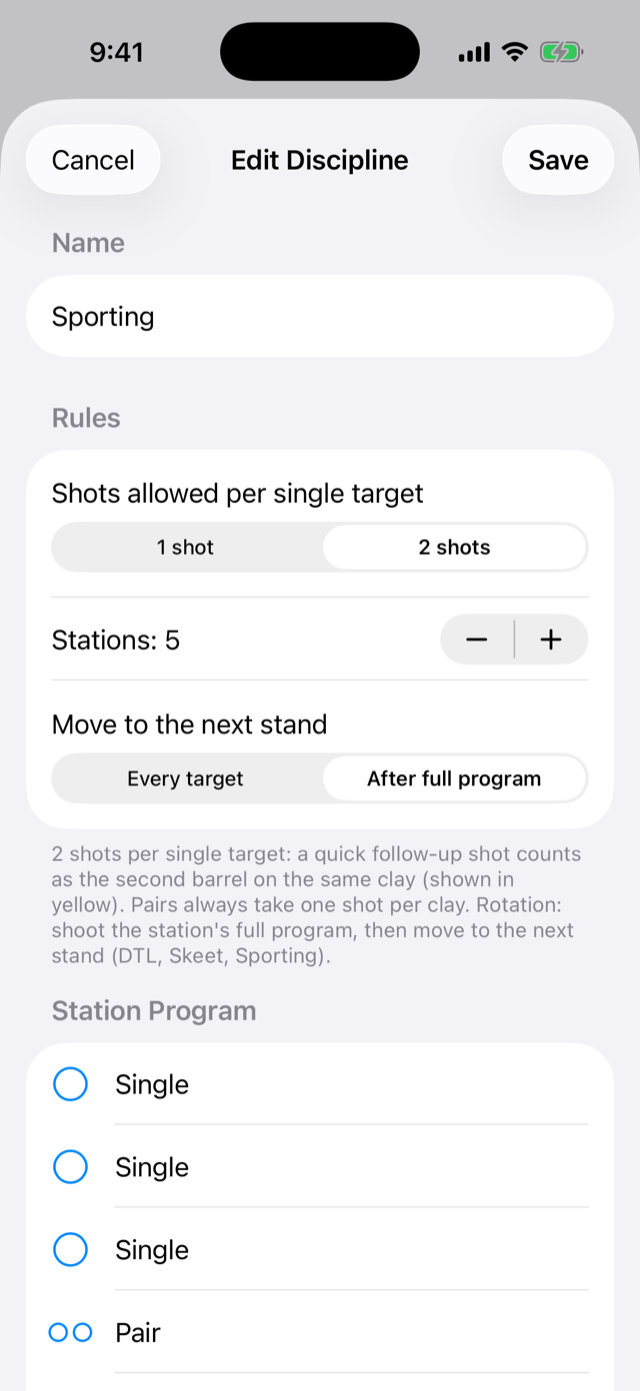
iPhone discipline editor for Sporting showing shots per single, station count, stand rotation and a station program of three singles and a pair

Discipline editor

Build any discipline your ground throws. The watch scores it exactly as written here.

Name
What appears on the watch and in History. Names must be unique.
Shots allowed per single target
With 1 shot, every detected shot scores the next clay and there are no second barrels, ever. With 2 shots, a quick follow-up counts as the second barrel on the same clay. Pairs always take one shot per bird either way.
Stations
How many stands you shoot in a round, from 1 to 15.
Move to the next stand
How the squad rotates. Every target moves you to the next stand after each clay, the way club Trap squads walk. After full program shoots the station's whole sequence before moving, as in DTL, Skeet and Sporting.
Station Program
The target sequence every station repeats, built from + Single and + Pair. Drag to reorder, swipe to remove. The footer does the math for you: 3 singles and 1 pair make 5 clays per station, which over 5 stations is 25 targets.
Icon
The symbol shown for this discipline on both the watch and the phone.